

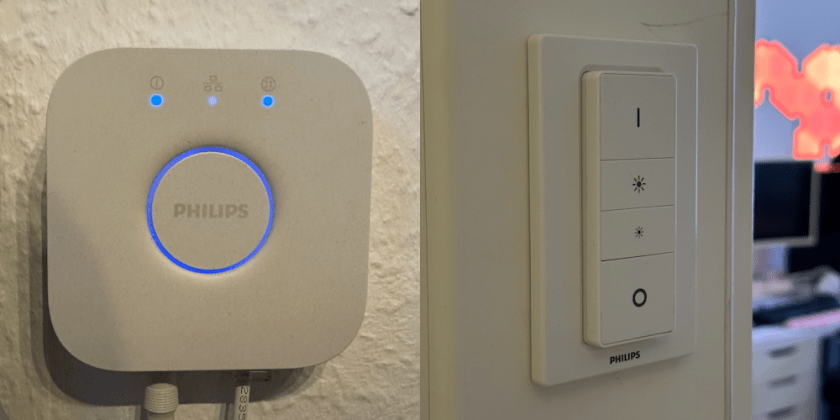
As always – I rebooted the Hue Bridge and I took the battery out of the Hue-Dimmer-Switch for at least 10 seconds – still a problem.
Problem
I recently had a lot of problems with the connection between my Hue bridge, my Hue bulbs and especially with the Hue Dimmer Switches, which was blinking red, when I pressed a button. Also a lot of bulbs didn’t turn on anymore.
Hue Dimmer Switch and Hue Dimmer Switch V2 – same problem.
I tried to reconnect a Hue-Switch by holding the setup button on the back of the Dimmer Switch for at least 10 seconds. Then, on the front in the upper left corner, it began to flash orange.
Pro tip – if you are searching for a tool to press the button on the Dimmer Switch – many phones bring a tool to open the SIM card slot – maybe you have an old box laying around? That tool has the right size.
I searched for a new device to add in the Hue App – but it couldn’t the Dimmer Switch anymore.
Solution: Change Zigbee channel
> Open the Hue App
> on the bottom right to „Settings“
> „Hue Bridges“
> Choose your bridge / standard „Hue bridge“
> „Zigbee channel“
> „Change Channel“
Wait for a couple of minutes … it should work again.
What was the problem?
Zigbee channels compete with WiFi 2,4 GHz channels:
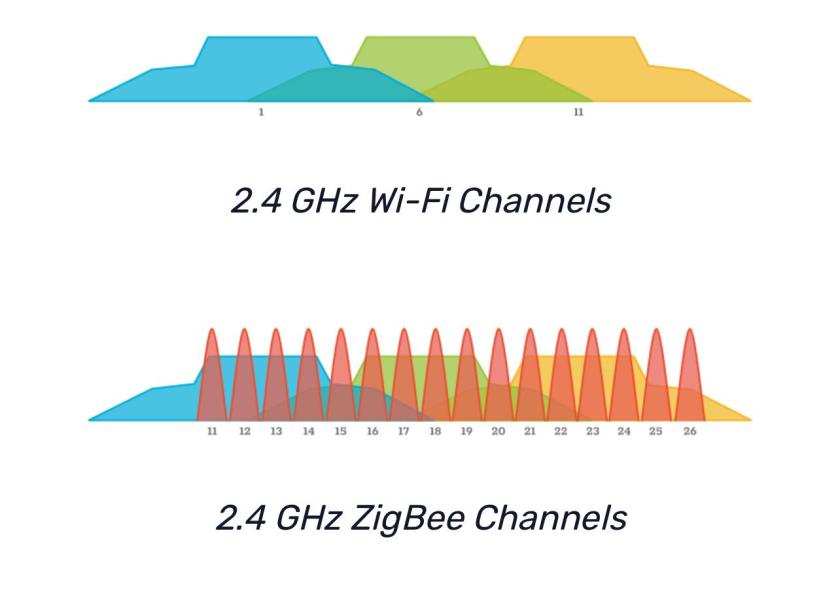
Maybe your or your neighbor’s Wi-Fi modem, router or access point changed the channels. The previous ZigBee channel was too busy to properly work and therefor had a lot of connection problems.

 After Reboot
Hinterlasse einen Kommentar